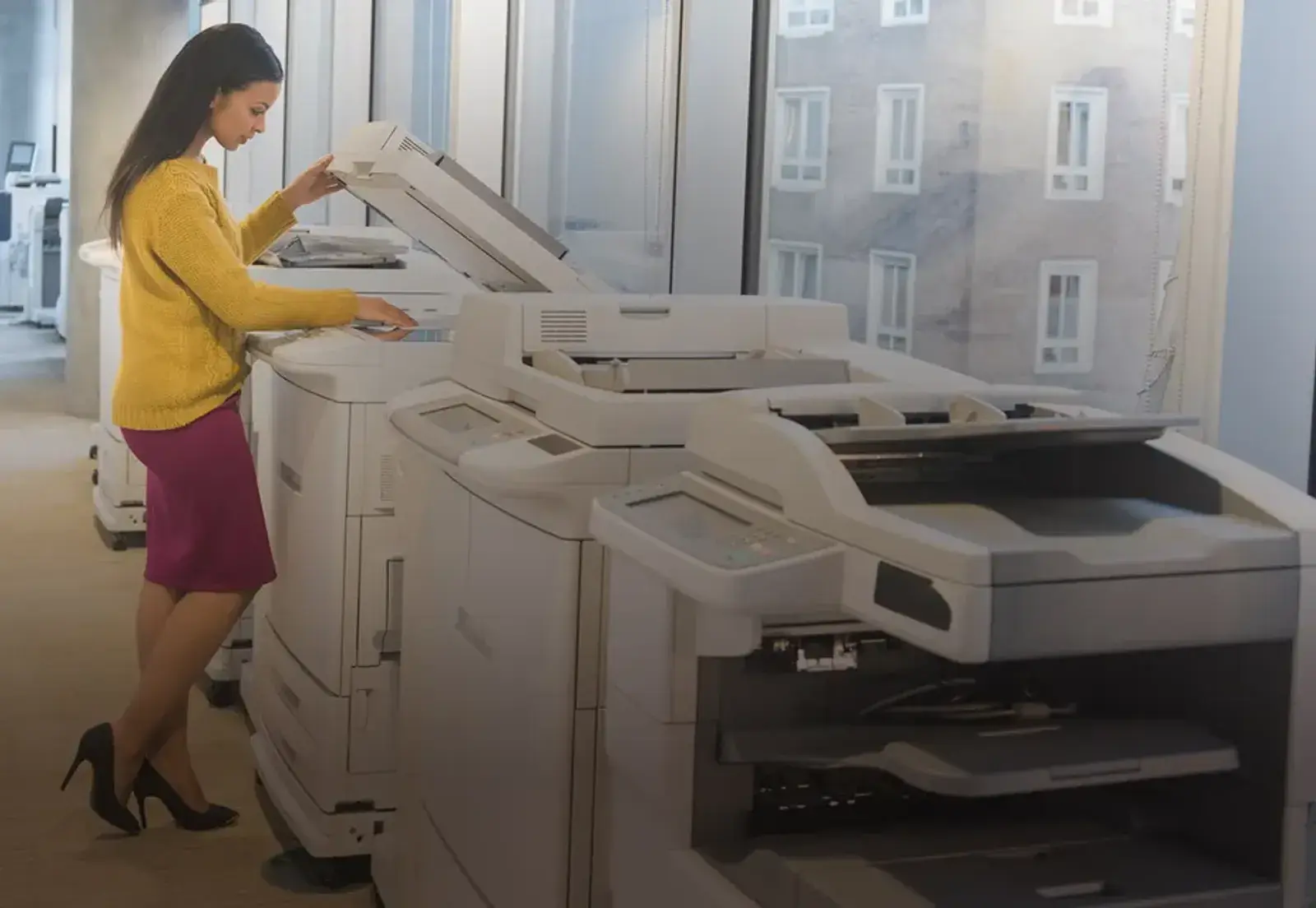
Staff member working at a multifunction device

Managed Print Assessment

Most organizations have never seen this number.

You may know what your copier lease costs. Most organizations don’t know what their entire print environment costs, or how effectively it is operating. Our no-cost Managed Print Assessment documents the devices, costs, utilization, service, supplies and risks across your environment and shows you what should change.

No cost · 2–4 weeks · the analysis is yours

Walk The Building

What we find when we walk the environment.

Every assessment includes a physical review of the environment. Explore examples of what we can uncover, and how the future-state design addresses it.

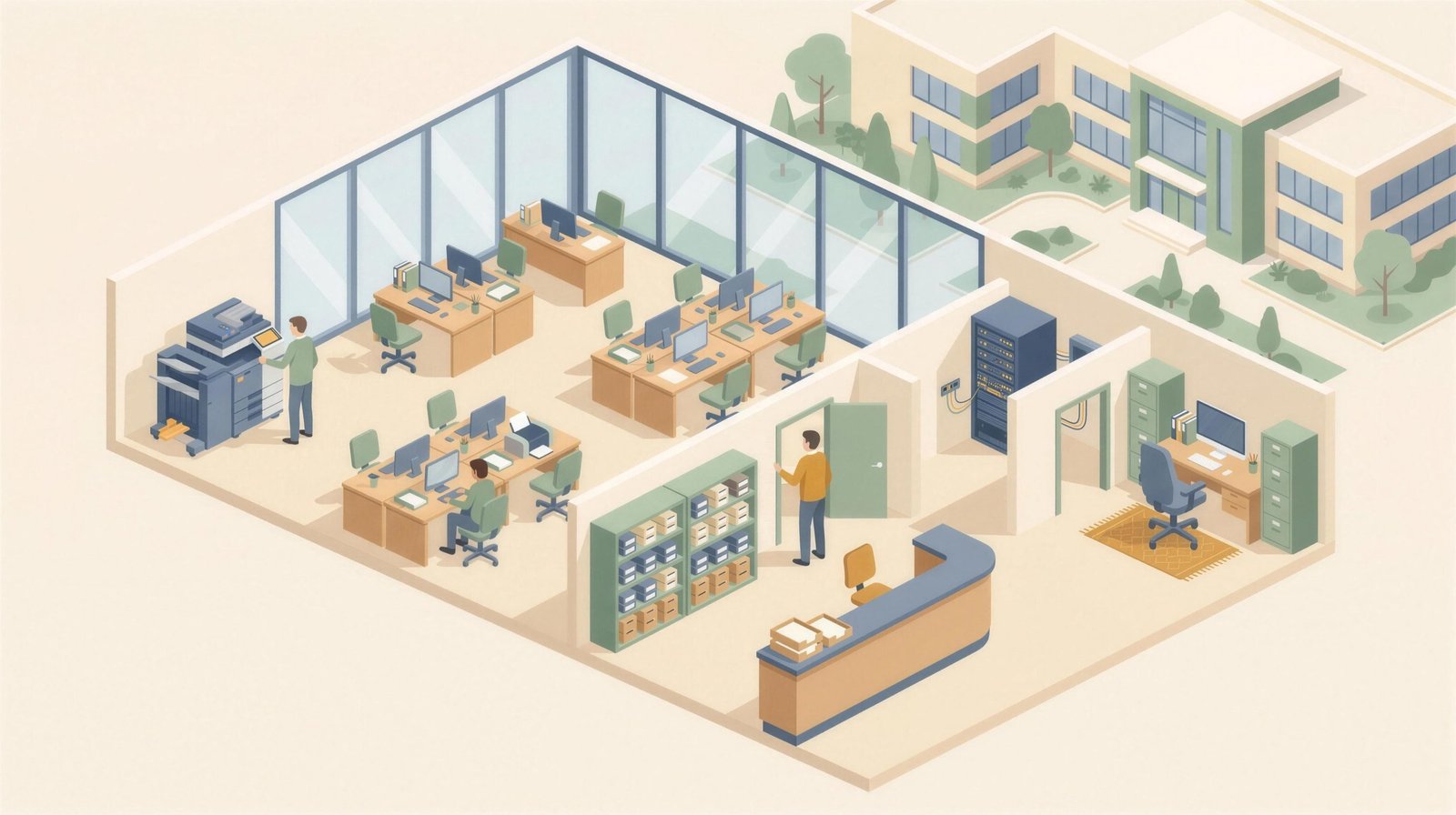
Isometric cutaway of an administration building: copier room, open office, supply closet, front office, IT closet and business office

01Copier room

One device doing the work of three

The departmental copier runs at a fraction of its rated volume while the desktop printers around it carry the real load at many times the page cost. Utilization analysis puts the right device where the volume is.

192 → 158 devices after one school assessment

Fleet optimization

02A desk printer

The $0.2175 page nobody noticed

The same organization pays $0.0126 and $0.2175 a page depending only on which desk the device sits on. Seventeen times the best rate, on a printer that was bought because someone wanted one.

17× spread between cheapest and dearest page

See what we document

03Supply closet

Toner bought at retail, stockpiled by department

Cartridges ordered by whoever runs out first, priced at retail and sitting on shelves. Supplies on a managed program ship on threshold, labeled for the device, inside the per-page rate.

20–50% below true cost, measured

Automated monitoring & supply management

04Front office and records

Protected information in an output tray

Student or patient records printed to a shared device and collected later, if at all. Secure release holds every job until a badge or PIN is presented, and uncollected jobs are deleted rather than printed.

0 pages waiting in a tray after cutover

Print security

05IT closet

Twenty-plus print tickets a month reaching IT

Drivers, queues, jams, toner, meter reads: a stream of tickets landing on a team that was never hired for print. Devices report their own faults and supplies; dispatch is ours.

20+ → 1–2 monthly print tickets, Center Theatre Group

Managed print services

06Business office

Nineteen agreements and no single number

Leases and service contracts inherited office by office, renewal by renewal. Nobody can say what print costs. One agreement, one renewal date, one invoice, with remaining obligations covered where the numbers support it.

19 agreements in the original environment, Armanino LLP, $817,000 saved

Read the Armanino success story (PDF)

07The second campus

Same agreement, same response time, any state

Sites in other cities usually mean other vendors and other escalation paths. Every location rides on one agreement with a four-hour average response time, dispatched centrally and reviewed quarterly.

35 sites on one agreement, Children’s Institute

National service

×Desk printer

Removed in the design

A personal inkjet, 400 pages a month, at the highest rate in the building.

×Desk printer

Removed in the design

A second desktop laser in the same open office, six feet from the first.

×Hallway printer

Removed in the design

Producing nothing for three months, still on a service contract.

The Inputs

What we document

We build a documented current state of the entire print environment: what you have, where it is, how it is being used, what it costs, how it is supported, and where opportunities or risks may exist. It looks well beyond the copier lease or vendor invoice.

Per device
  • Location and department
  • Make, model and serial number
  • IP address and network placement
  • Monthly volume, color and mono
  • Age and reliability history
Per cost line
  • Lease or purchase cost
  • Service and maintenance cost
  • Supply and consumable cost
  • Overage and click charges
  • IT labor absorbed internally
Per environment
  • Utilization against rated volume
  • Redundant and underused devices
  • Special applications and workflows
  • Security exposure at the device
  • Vendor and contract fragmentation
Per business requirement
  • Department and user requirements
  • Printing and scanning workflows
  • Special applications
  • Security and compliance requirements
  • Location-specific needs
  • Future growth or organizational changes

How It Runs

What the engagement looks like

  1. Scoping call · Approximately 30 minutes

    We confirm locations, scope, business requirements and the information already available.

  2. Data collection · On site and remote

    We walk the environment, inventory the fleet and collect available meter, service, supply and cost information.

  3. Cost & performance analysis · Revolution Office

    We reconcile devices, invoices, agreements, volumes and operating costs into a documented current-state model.

  4. Future-state design · Revolution Office

    We model consolidation, standardization, technology, print management and governance against actual requirements and measured demand.

Findings presentation · Approximately 60 minutes

We walk leadership through the current state, what we found, what it costs, what should change and the recommended future state.

The Methodology

Seven stages, each producing something you keep

Physical device audit, service and cost analysis, utilization and volume analysis, stakeholder interviews, workflow review, security assessment, and recommendations with a future-state design.

  1. Stage 01

    Physical device audit

    We identify and document every device across your environment: make, model, serial, IP, location and condition.

    Produces Verified fleet inventory
  2. Stage 02

    Service & cost analysis

    We analyze contracts, invoices, supply costs and replacement costs to establish true cost and locate the savings.

    Produces True cost-per-page model
  3. Stage 03

    Utilization & volume analysis

    We evaluate usage and print volume by location and device to identify what is underutilized and what is overworked.

    Produces Utilization analysis
  4. Stage 04

    Stakeholder interviews

    We engage the people who live with the environment to understand needs, constraints and goals across the organization.

    Produces Documented requirements
  5. Stage 05

    Workflow review

    We evaluate the business processes that actually generate the printing and scanning, rather than only the devices doing it.

    Produces Workflow map
  6. Stage 06

    Security assessment

    We evaluate device age and firmware currency, and flag equipment that should be removed or patched.

    Produces Device risk register
  7. Stage 07

    Recommendations & future-state design

    We bring the findings together into a recommended future state that addresses technology, consolidation, standardization, service, security, workflows and ongoing management.

    Produces Future-state recommendation

If you choose to move forward, the Assessment becomes the baseline for implementation, ongoing management and continuous optimization through Revolution Office Managed Print Services.

See How Managed Print Services Works

The Deliverable

What you actually receive

You receive a documented analysis of your current environment and a data-backed future-state recommendation, not simply an equipment quote. The analysis is designed to give IT, finance and leadership a common set of facts for evaluating what should change.

01 · Fleet inventory tab 1
Asset Make & model Location Vol/mo CPP
05 HP LJ Pro 3001dw Finance 2,790 $0.0126
Within spec
20 HP LJ Pro M428fdn Contact office 3,204 $0.100
Over rated volume
02 Canon MG3600 Development 742 $0.2175
17× the best rate
06 HP LJ Pro M130fw Program office 0 ·
Not working
07 HP Inkjet 901SE Program office 0 ·
Not working
19 HP LJ 3050 Kitchen 24 $0.090
24 pages a month
Every device located and recorded on site: make, model, serial, type, floor, two dated meter reads, monthly volume and condition.
02 · Supply cost analysis tab 2
Device Supply Yield CPP
HP LJ Pro 3001dw $119.89 9,500 $0.0126
HP MFP M426fdw $139.89 3,100 $0.0451
HP LJ 1022 $88.96 2,000 $0.0445
HP LJ Pro M130fw $71.89 1,600 $0.0449
Canon MG3600 (tri-color) $79.00 400 $0.2175
Cheapest page $0.0126
Highest cost $0.2175
Spread 17×
Supply cost against rated yield at a stated page fill. The same organization pays $0.0126 and $0.2175 a page depending only on which desk the device sits on.
03 · Future-state design p. 24
Measure Today Designed Δ
Devices 192 158 −34
Models in fleet 23 4 −19
Service vendors 3 1 −2
Devices producing nothing 6 0 −6
Sites with no reporting 2 0 −2
Highest cost per page $0.2175 $0.0180 −92%
Supply ordering Manual Automated ·
Review cadence Ad hoc Quarterly ·
The environment you should have, modeled against measured demand, with the savings itemized.

Extracts from a real Revolution Office assessment workbook, anonymized. Column structure and arithmetic are unchanged; future-state figures are modeled.

A Real Assessment

Harvard-Westlake · Independent School · Two campuses

What we found across 192 devices and two campuses.

The assessment inventoried both campuses and found an aging, decentralized fleet supported by multiple service providers, with consumables managed by hand, limited reporting and significant IT involvement. Average monthly spend was running at approximately $26,000: a figure that had never been consolidated into a single number.

  • 192Devices inventoried
  • 2Campuses
  • $26KMonthly baseline

What we found

  • Aging, decentralized fleet across two campuses
  • Multiple service providers with no unified reporting
  • Manual consumable management absorbing staff time
  • Significant IT involvement in routine fleet administration

What we recommended

  • Fleet consolidation and standardized technology
  • PaperCut deployment for secure, accountable print
  • Automated toner replenishment
  • Centralized service and quarterly reporting
  • Ongoing fleet management and optimization

The Handover

You leave the room with the analysis.

The findings presentation brings IT, finance and leadership around the same set of facts: what you have, what it costs, what we found, and what we recommend changing. The current-state analysis and future-state recommendation are yours to keep regardless of what you decide to do next.

  • Presented to finance and IT together
  • Every figure traceable to the underlying data
  • The analysis is yours to keep, with no obligation to purchase
  • Use it to evaluate any alternative
The assessment analysis handed across a conference table

What Happens Next

The assessment gives you the roadmap. Managed Print Services puts it into action.

If you choose to move forward with Revolution Office, the Assessment becomes the baseline for implementation and ongoing management. We manage the transition, service, supplies, monitoring, reporting and lifecycle of the environment, and continuously review performance as your organization changes.

Common Questions

What organizations ask before getting started

What does it cost?

Nothing. The Managed Print Assessment is provided at no cost and without an obligation to purchase.

How much of our time does it take?

The process typically requires an initial scoping call, access to the locations being assessed, relevant invoices or agreements, and a findings presentation. Revolution Office handles the inventory, analysis and future-state design.

Are we obligated to buy anything?

No. The Assessment is designed to give you a documented view of the environment and a recommended future state. The analysis is yours regardless of what you decide next.

We already have a Managed Print Services provider. Is this still useful?

Yes. The Assessment can establish an independent baseline of your current environment, costs and performance so you can evaluate whether the existing program is delivering what you expected and make a more informed renewal decision.

Can you assess us if we’re in the middle of existing leases or agreements?

Yes. Existing lease and service obligations are documented as part of the current state and considered when developing the future-state recommendation.

The First Step

Find out what your print environment actually costs.

Start with a no-cost Managed Print Assessment. We’ll document your current environment, identify opportunities for improvement, and show you what a better-managed future state could look like.

  • No cost
  • No obligation
  • You keep the analysis