

Printers and copiers documented
178devices
Colleges & Universities
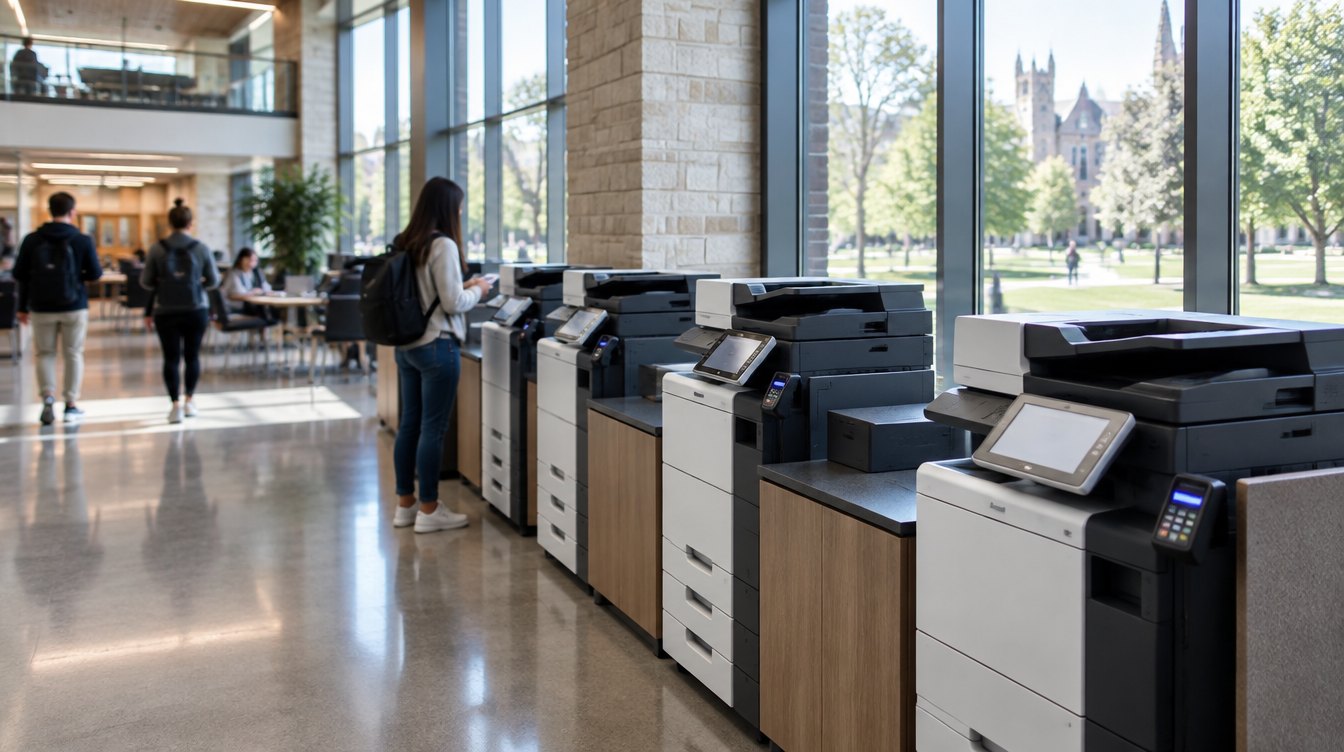
Higher-education print environments often span academic departments, administrative offices, libraries, student services and multiple buildings or campuses, with equipment, agreements, service and costs managed across different budgets and stakeholders. Revolution Office helps institutions understand the entire environment and manage it as a more coordinated program.
Campus-wide visibility. Department-level accountability. Less complexity for IT, finance and procurement.
Higher Education in Practice
Biola University
178devices
Biola University
13console devices
Biola University
22years in service
What We Find
Colleges and universities are naturally decentralized. Departments, schools and administrative groups have different users, budgets, workflows and technology requirements. Over time, that can create a print environment that is difficult to see and manage as a whole.
Devices and agreements may be acquired independently across departments, schools and administrative units, creating limited institution-wide visibility.
Equipment added over many years can create a complex mix of manufacturers, models, drivers, supplies and service requirements.
Some devices carry significant volume while others remain underused because placement and capacity have not been reevaluated as requirements changed.
Finance and procurement may have difficulty reconciling equipment, service, supplies and usage across departments and cost centers.
Student, employee, financial and other sensitive information can move through shared print and scan devices that should be considered within the institution’s broader security strategy.
Driver management, device issues, supplies and service coordination can consume technology resources that have more strategic priorities.
One Environment. Multiple Stakeholders.
Print affects different parts of the institution in different ways. The Managed Print Assessment creates a common set of data that stakeholders can use to evaluate the environment together.
What Changes
One coordinated strategy across the print environment.
Create a documented view of devices, utilization, costs, agreements and performance across the environment.
Retain, relocate, consolidate or replace equipment based on actual utilization, workflow, reliability and institutional requirements.
Reduce unnecessary variation in equipment, supplies, drivers and support where standardization improves the environment.
Use reporting and cost-center structures to provide greater visibility into usage and costs by department, location or other appropriate organizational structure.
Automate monitoring, meter collection and supply management while centralizing service coordination.
Evaluate authentication, secure release, print policies and reporting based on the institution’s users, infrastructure and security requirements.
Continue reviewing utilization, reliability, cost and device age so the environment evolves with the institution instead of becoming fragmented again.
A Phased Approach
The assessment determines where action is most important and where existing technology can continue to serve the institution. At Biola University, the findings across a 178-device environment supported a phased strategy that prioritized 13 aging console devices while allowing the broader fleet to be optimized over time.
The objective is not to replace everything. It is to build the right transition plan from the environment you already have.
Visibility & Accountability
A centralized managed program does not mean losing departmental visibility. Reporting can provide leadership with an institution-wide view while allowing appropriate analysis by department, building, device or cost center.
Potential reporting areas:
Revolution Office can consolidate device, meter, service and billing information into a more transparent reporting structure, making it easier for finance and procurement to understand and reconcile the managed environment.
Print Management & Security
Printers and multifunction devices may handle student records, employee information, financial documents and other sensitive content. Revolution Office can evaluate how print fits into the institution’s broader security strategy and recommend appropriate controls.
Potential capabilities:
Less for IT to Manage
Automated monitoring can provide visibility into device status, meter data and supply levels while centralized service and supply management reduces the number of routine printer issues that campus technology teams need to coordinate.
Potential capabilities:
Centralized Support
Instead of individual departments coordinating service and supplies independently, Revolution Office can centralize support across the managed print environment with defined service processes, reporting and account ownership.
Potential benefits:
Beyond Print
Admissions, enrollment, finance, HR, student services and administrative departments often rely on documents that must be captured, routed, approved, stored and retrieved. Revolution Office provides Document Workflow & Automation solutions that can help institutions improve those processes beyond the printed page.
Potential capabilities:
Higher-Education Experience

Common Questions
We start by documenting the environment you have today. The assessment identifies devices, utilization, age, reliability, costs, agreements and business requirements so recommendations can be based on actual conditions rather than assumptions. At Biola University, the assessment documented 178 printers and copiers, including equipment that had been in service for more than two decades.
No. The objective is not to replace equipment unnecessarily. Devices can be retained, relocated, consolidated or replaced depending on utilization, reliability, security, workflow and financial considerations.
Yes, depending on the environment and configuration. Reporting can provide both institution-wide visibility and more detailed views by location, department, device or cost center where appropriate.
We evaluate print and device security requirements as part of the broader environment. Depending on the institution’s requirements, solutions may include secure release, authentication, print policies, reporting and device-security controls using technologies such as PaperCut and PrinterLogic.
Yes. Revolution Office supports distributed and multi-location environments through centralized service coordination, supply management, reporting and account ownership across the managed program.
Yes. Revolution Office provides Document Workflow & Automation solutions including document and content management, capture and indexing, automated scan workflows, routing and approvals, digital forms, search and retrieval, and other workflow capabilities based on the institution’s requirements.
Revolution Office provides a broad range of office, production and specialized print technology and is not limited to a single manufacturer’s product line. Our current manufacturer set includes Canon, Xerox, Ricoh, HP, Sharp, Kyocera, Brother, Lexmark and KIP. This allows us to evaluate technology around the requirements of the environment rather than forcing every customer into one product family.
Depending on the requirement, solutions can include desktop printers and multifunction devices, departmental and A3 multifunction systems, scanners, label printers, wide-format technology, and production print and finishing equipment.
Just as importantly, the assessment may recommend keeping equipment you already own when it continues to meet the institution’s operational, financial and security requirements.
The Managed Print Assessment is provided at no cost and without obligation. Revolution Office documents the current print environment, including devices, utilization, costs, agreements, service, supplies and relevant business requirements, and develops a data-backed current-state analysis and future-state recommendation.
You keep the analysis whether or not you choose to move forward with Revolution Office.
The First Step
Start with a no-cost Managed Print Assessment. We’ll document the devices, utilization, costs, agreements and requirements across the environment, identify opportunities for improvement, and show you what a better-managed future state could look like.